

What NSAdaBrowse is
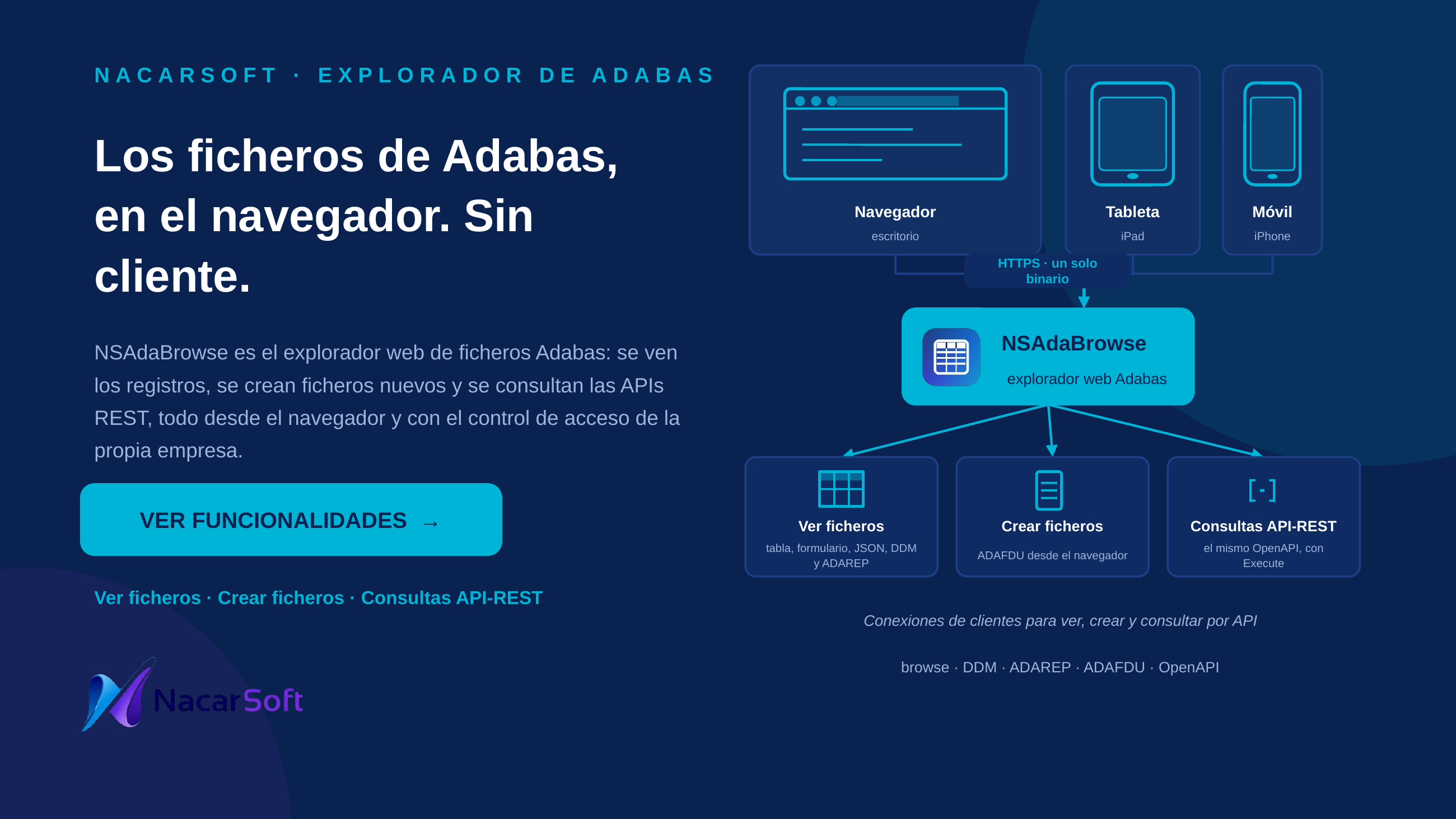
nsadabrowse is Nacarsoft’s web explorer for ADABAS files. Browse databases and their files from any browser, view data in table, form or FDT (file definition) mode, and manage access with JWT authentication and role-based control (RBAC with users, groups, roles and permissions). Multiple environments (DEV/TEST…) are configured via YAML.
Database, file and data names in the examples are fictional.
Use cases
1. Quick record lookup without desktop tools
Find a specific record (e.g. fictional policy POL-2024-00123) from the browser.
./build/nsadabrowse init /tmp/mybrowse
./build/nsadabrowse start /tmp/mybrowse
./build/nsadabrowse status /tmp/mybrowse
# → nsadabrowse is RUNNING (PID 12345)  Listening: http://0.0.0.0:11010
Web flow (http://localhost:11010, admin / admin123): pick the database (e.g. DEV) in the side panel, open the file in the tree, search with criteria and read the record in form view.
2. Exploring a file’s FDT/DDM structure
Review a file’s fields, formats and descriptors (e.g. fictional file no. 100) before coding against it.
./build/nsadabrowse status /tmp/mybrowse # confirm RUNNINGWeb flow: select database and file in the side tree; switch to FDT view for the field definitions; flip to table view to contrast with real data.
3. Support team with per-database limited access
Give the support team read-only access to TEST without touching DEV.
curl -s http://localhost:11010/api/health
# → {"service":"nsadabrowse","status":"healthy"}
Web flow (as admin): create a role with query permission only on the TEST database in the RBAC administration; the support user logs in and only sees TEST in the side panel.
4. Paging through a large file under controlled limits
Walk a file with thousands of records (e.g. a fictional history file) without overloading the server.
./build/nsadabrowse stop /tmp/mybrowse
# (tune pagination.* in /tmp/mybrowse/config.yaml, then restart)
./build/nsadabrowse start /tmp/mybrowse
Web flow: open the file in table view and page through (pagination.page_size); the read_limit caps the maximum read per query.
Interface


Reference
CLI commands (verified with --help, v26.1 build 541)
| Command | Description |
|---|---|
init <dir> | Create a new instance (config.yaml + security database + folders) |
start [dir] | Start the server as a daemon (default: current directory) |
stop [dir] | Stop the daemon |
status [dir] | Daemon status (PID, uptime, memory; exit 0/1) |
version (or -version) | Show version, build, date, commit and trial status |
-server | Deprecated alias of start (warns WARN: '-server' is deprecated — use 'start') |
-stop | Deprecated alias of stop (warns WARN: '-stop' is deprecated — use 'stop') |
Note: the
--configand--licenseflags are sub-flags of the commands: as the first argument the binary answersUnknown command. The environment is chosen with the positional[dir]argument or withstart --config <dir>, and the license goes to the path below.
Main config.yaml options (see config.example.yaml)
| Option | Description |
|---|---|
server.host / server.port | Web interface and port (default 0.0.0.0:11010) |
server.tls_cert_file / tls_key_file | TLS certificates; empty when TLS is terminated at the proxy (Traefik) |
database.path | Security SQLite (db/security.db): users, groups, roles, permissions |
security.jwt_secret | JWT key — change it in production |
security.token_expiry_hours | Token lifetime (24) |
security.password_reset_code_ttl_minutes | Reset-code validity (10) |
adabas.databases | Defined databases: DEV (dbid 150, connect: "acj;target=150", config_file: ./db/db150.json), TEST (dbid 200, connect: "acj;target=200;ipcs", files: "(100-120)") |
smtp.* | Mail for password reset (host, port, username, password, from, use_tls) |
pagination.page_size / read_limit | Page size (80) and read limit (10000) |
config.separator_decimal, daemon, logdir, logdays | Decimal separator, daemon mode, log directory and retention |
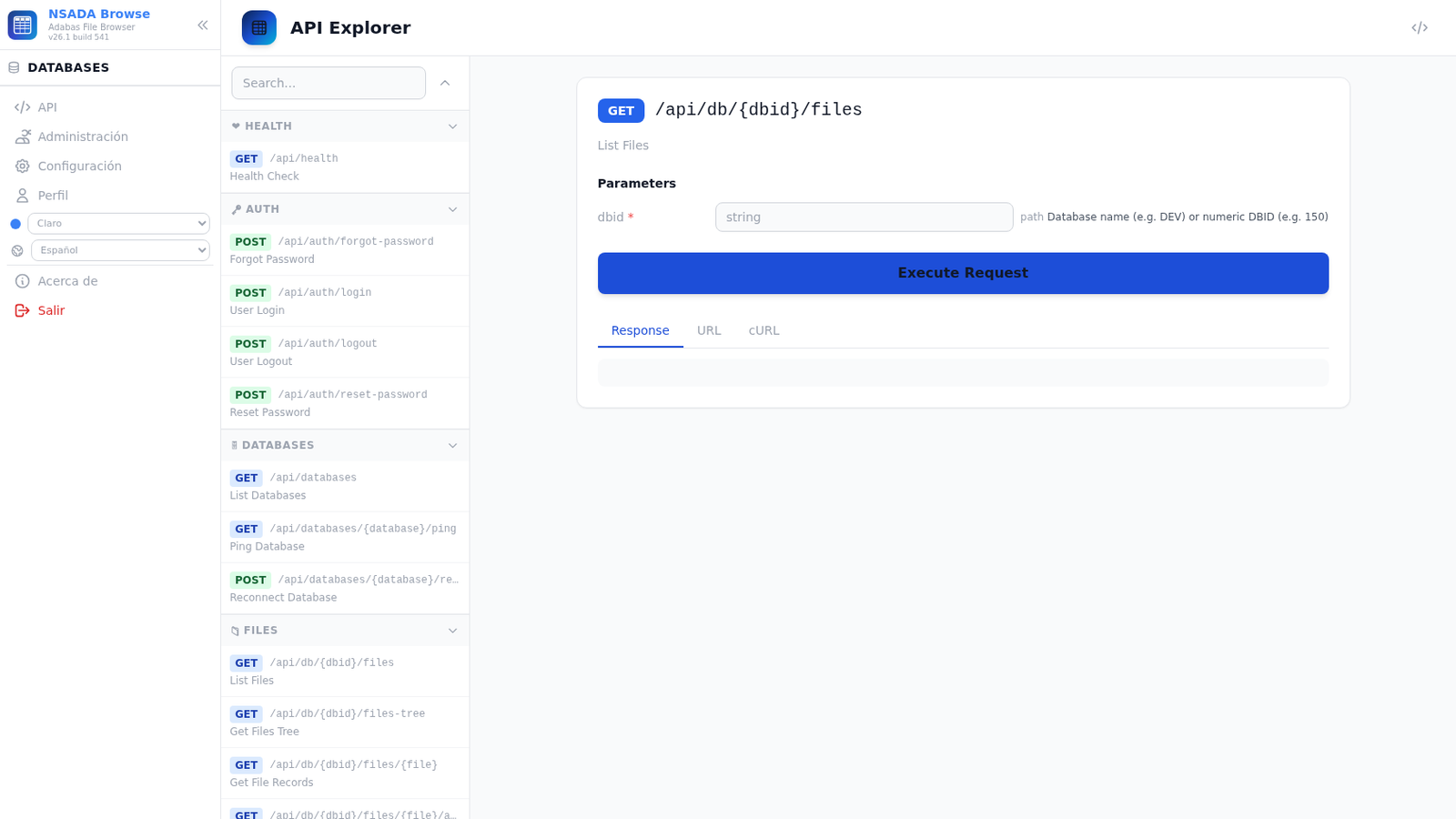
swagger.enabled, api_key, title, version | REST API documentation |
The manual’s example (
database.path: ./data/nsadabrowse.db, adatabases:list with host/port/user) is illustrative; the real configuration usesdb/security.dband theadabas.databasesmap shown above.
Web UI areas
| Area | What it does |
|---|---|
| Login | Username/password authentication; token-based JWT session (security.jwt_secret, expires after token_expiry_hours) |
| Side panel / tree | Lists configured databases (DEV, TEST) and their files with numbers; active-database selector |
| Table view | Paged record browsing (pagination.page_size), page navigation |
| Form view | Record-by-record reading with all fields |
| FDT view | File definition: fields, formats and descriptors (structure, no data) |
| Search | Record filtering by field criteria |
| RBAC administration | Users, groups, roles and permissions per database and action |
| Themes | Dark and light themes available |
Commented examples
# 1. New instance and startup in the current directory
./build/nsadabrowse init
./build/nsadabrowse start
./build/nsadabrowse status

# 2. Two environments (prod/dev) with the same binary
./build/nsadabrowse init /tmp/prod && ./build/nsadabrowse start /tmp/prod
./build/nsadabrowse init /tmp/dev  && ./build/nsadabrowse start /tmp/dev
./build/nsadabrowse status /tmp/prod
./build/nsadabrowse stop /tmp/dev

# 3. Verification: health, SPA and version (reports remaining trial)
curl -s http://localhost:11010/api/health
curl -s http://localhost:11010/ -o /dev/null -w '%{http_code}\n'
./build/nsadabrowse version

# 4. Manual-style invocation (deprecated but working, with warning)
./build/nsadabrowse -server  # equals 'start' (deprecated)
In example 4,
-serverworks as a deprecatedstartalias; the manual’s-config <file>and-licenseflags no longer exist (Unknown command): the environment is given with[dir].
FAQ
Which URL and user do I log in with? http://localhost:11010 with admin / admin123; change security.jwt_secret in production or login is insecure.
Where does the license go? At /opt/ns/licenses/nsadabrowse.key; without it there is a 30-day trial and version shows days left.
It won’t connect to ADABAS? Check adabas.databases in config.yaml (real dbid, connect, config_file — manual and example values are fictional) and network access to the ADABAS nucleus.
Port busy or login not loading? Change server.port if 11010 is taken; if login fails, verify jwt_secret is not the default value.