
What NSGateway is
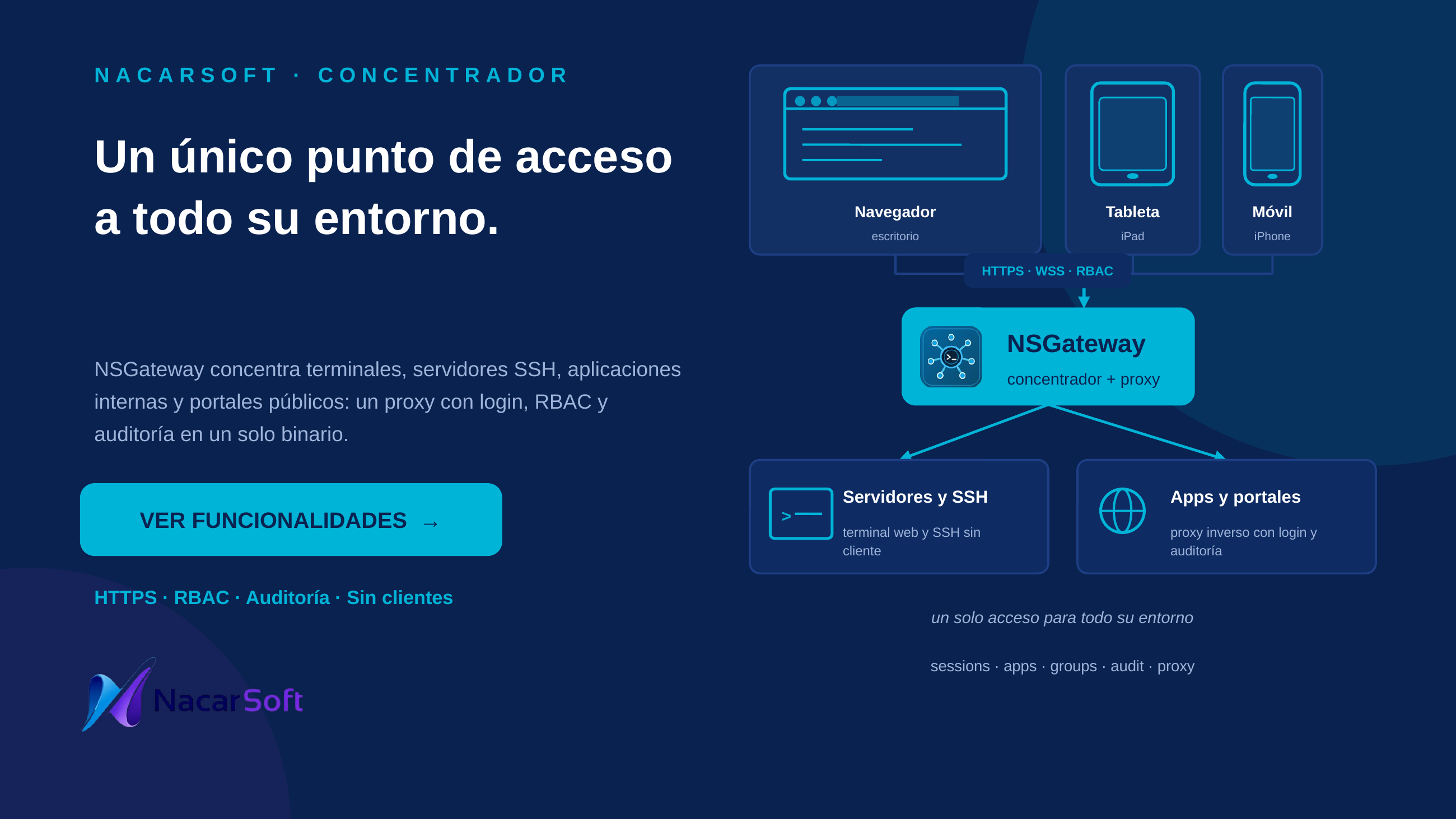
nsgateway is Nacarsoft’s connection gateway: a single binary that brings together the web terminal, SSH, reverse proxy, public sites by Host and public portals. It replaces direct SSH access, bastion hosts and tunnels: the user signs in over HTTPS with their identity and role, the administrator decides which applications and targets are published, and every session is recorded.
- Four access modes: terminal application (server command), SSH application (host/port), proxy application (internal URL) and public or private portal (catalogue with optional sign-in and limits).
- No clients on the desk: no SSH client, keys or tunnels. HTTPS and WebSocket only.
- Central identity: JWT, users and groups, per-application RBAC, session quotas and optional LDAP/Active Directory.
- Internal consoles: published through the reverse proxy with an allowlist, private-IP/cloud-metadata blocking and link rewriting.
- Public and private portals: for vendors, on-call teams, external support or internal users; public ones are anonymous and private ones require signing in, both with limits and auditing.
- Public sites by Host (Caddy-style): independent sites stored in SQLite, routed by
Hostand path, with proxy or redirect routes,strip_prefix, header rules, gzip/zstd, per-site JSONL access logs and a read-only Caddyfile preview. TLS terminates in front; sites are public by design. - Sessions and audit: app, user, PID, origin portal, IP, country, browser, children, CPU/memory, timeout and kill reason; search and filters by user, app and portal, and sorting by any column; startup/periodic reconciliation closes dead rows and kills verified orphan process groups without touching recycled PIDs.
- Web experience: templates with header/side panels/status bar, availability schedules, Natural PF keys, themes and languages.
- A single binary with embedded SQLite; REST API for automation.
Commands, applications, hosts and users in the examples are fictional.
Use cases
1. Concentrate access to servers and SSH
Publish a shell and an SSH server without installing clients or handing out keys.
nsgateway init /tmp/nsgateway-demo
# → prints the random admin password; keep it
nsgateway start --config /tmp/nsgateway-demo
nsgateway status --config /tmp/nsgateway-demo
# → NSGateway v26.1 ... Listening: http://0.0.0.0:11030
Web flow: Administration → Applications → create a terminal app (shell, command /bin/bash) and an SSH app (host, port 22, authentication password or system) → assign them to groups → Dashboard → Open.
2. Publish internal consoles through the proxy
Expose an internal web application without opening its URL to the user network.
Web flow: Administration → Applications → Proxy URL type (targetUrl https://intranet.example.local:8443/app, WebSocket enabled if the app uses it, link rewriting) → assign to groups. Only the administrator defines the URL; the user opens it with their session, RBAC and audit.
3. Publish a whole site by Host (Caddy-style)
Give erp.example.com its own routes without writing a Caddyfile.
Web flow: Administration → Sites → create the site (host, compression and access-log file) → add /api/* as a proxy route to the erp-api application with strip_prefix, and /old as a redirect to /new with status 301. TLS terminates in front (nginx, Caddy or a load balancer); NSGateway receives HTTP, routes by Host and path, compresses, rewrites headers, writes JSONL access logs under logs/sites/ and shows the read-only equivalent Caddyfile. Sites are public: the WAF, rate limits, IP blocklist and SSRF guardrails still apply, but login/RBAC do not.
4. Open a public portal for vendors or on-call teams
Give anonymous, scoped access to an application catalogue.
Web flow: Administration → Portals → create (slug, name, description, template and sessionTimeout) → add public applications → share https://gateway.example.local/pub/<slug>. The portal does not ask for login, applies per-IP and time limits, and sessions are tagged public.
5. Give a team limited access with a quota
The operators group can use prod-console with a maximum of 2 concurrent sessions per user.
Web flow: Users → create user → assign the group → Groups → assign the application with its per-user max → the user only sees their applications; past the quota they get the notice and no new session opens.
6. Monitor and kill sessions
See who runs what, from where and at what cost.
Web flow: Sessions (app, user, PID, start, duration, timeout, CPU, memory, IP, country, browser, children; filters by active/closed/all, origin, type, user, app, portal and IP; sort by column) → kill a session with a reason, or bulk-kill by selection/IP/portal/app. With the admin role, HTTP/HTTPS connections and the RX/TX chart are shown too.
7. Give an application a web look and a schedule
Turn a terminal application into a console with a corporate header, side menu, status bar and PF keys.
Web flow: Administration → Templates → assign to the application; Schedules → availability template (morning, afternoon, night, weekend or workday); outside its window the app shows as Closed and the server refuses to open it. Administrators are also subject unless explicitly exempted.
8. Integrate LDAP/AD and invitation-based sign-up
Use the corporate directory without losing local users.
Web flow: Configuration → Authentication → LDAP (URLs, base DN, bind, filters and attributes) → test connection. For sign-up: Authorizations → enable self sign-up, default group, activation mode and authorized email list (or import CSV) → send an individual or bulk invitation.
9. Automate and audit with the API
Query applications and sessions from a script with the session cookie.
# After signing in on the web, reuse the session cookie
curl -b cookie.txt http://localhost:11030/api/apps
curl -b cookie.txt "http://localhost:11030/api/sessions?status=active"
Web flow: Audit → filter by time, user, action, detail, IP and country; sign-ups, group changes, accesses and kills are recorded.
Interface
| Area | What it does |
|---|---|
| Dashboard | Available applications and a summary of active sessions |
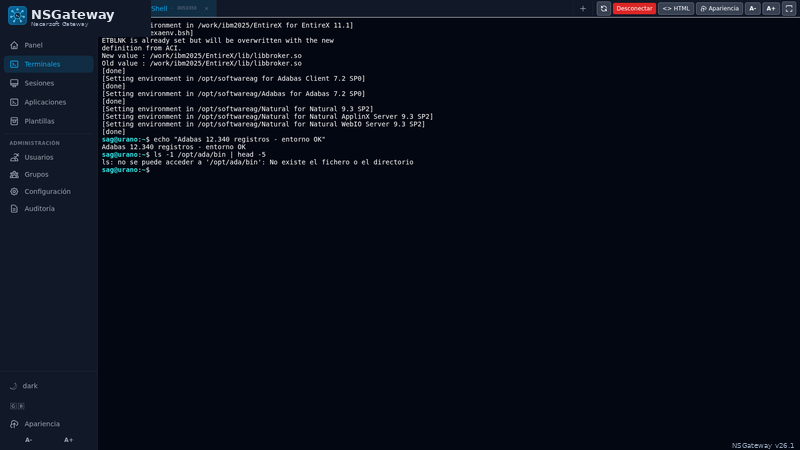
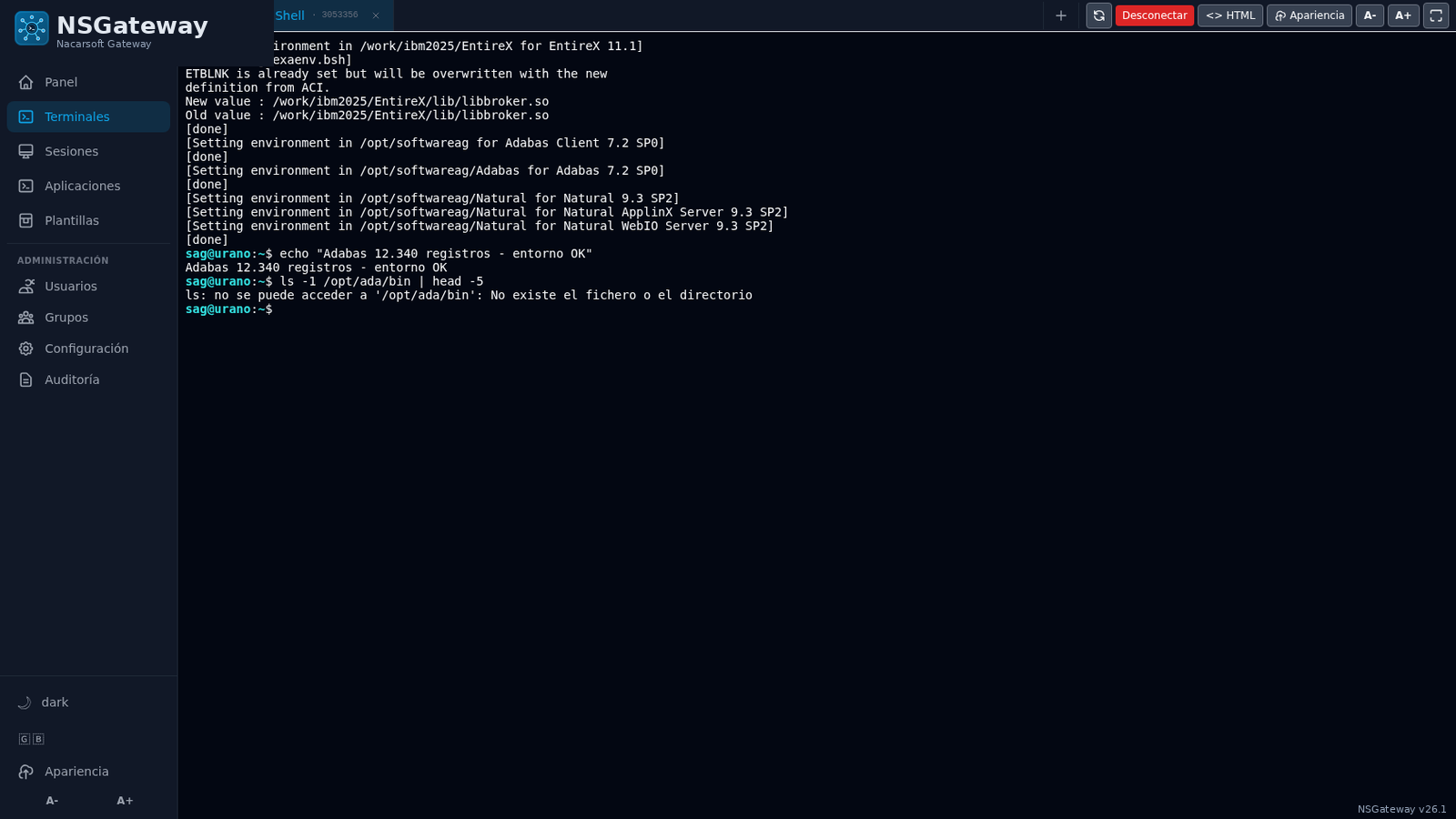
| Terminals | Tabs per session, reconnection, disconnect, full screen and HTML mirror |
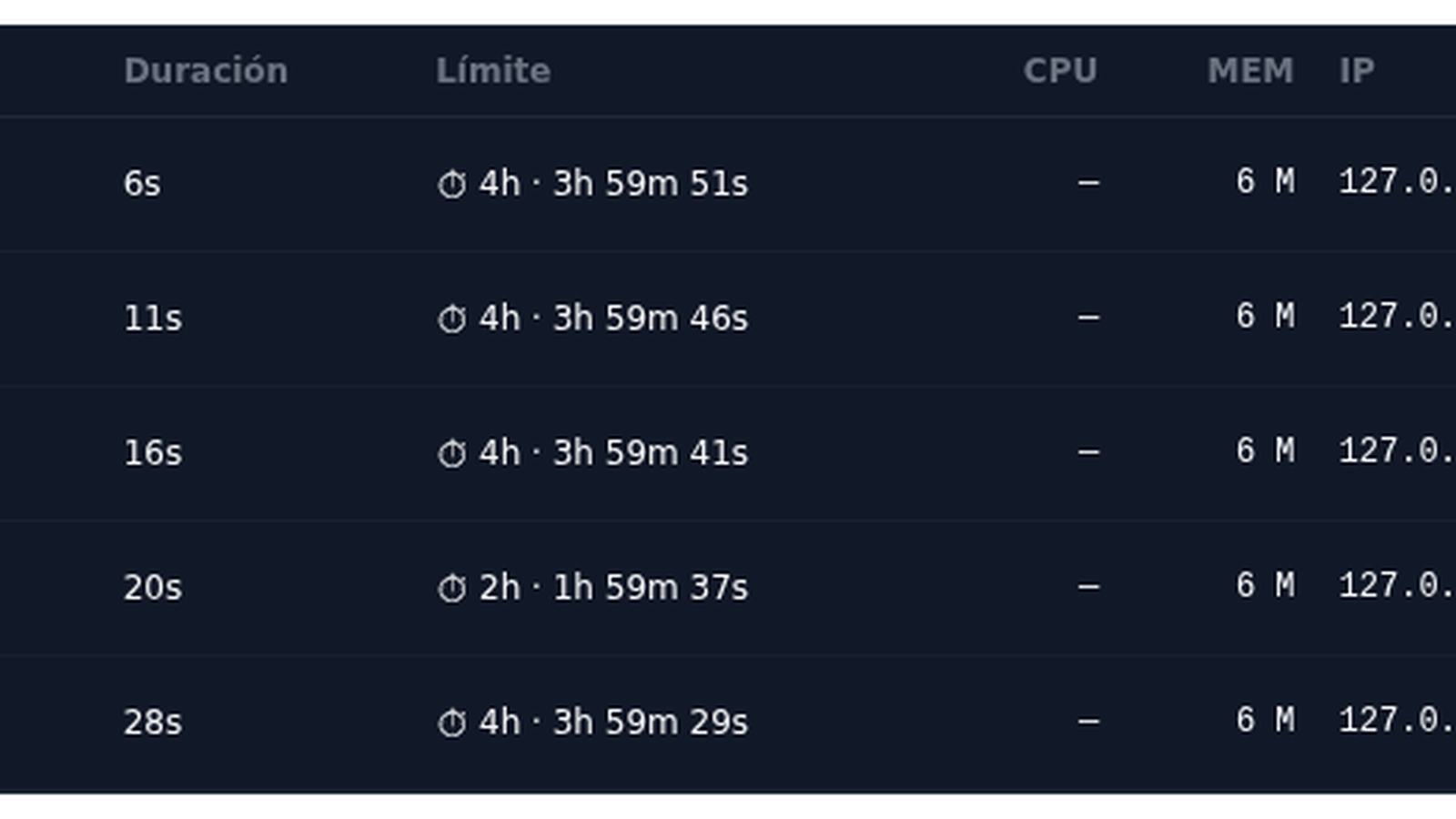
| Sessions | Live list, filters, timeout, CPU/memory, children and kill with reason |
| Applications | Create and edit terminal, SSH and proxy apps |
| Sites | Public sites by Host: proxy/redirect routes, compression, headers and JSONL logs |
| Portals | Public or private catalogue with template, apps, limits and anonymous per-IP quota |
| Users | Create, alias, email, state, groups and Linux user |
| Groups | Role, assigned applications and per-user session quota |
| Templates | Header, side panels and status bar with HTML/CSS, corporate logo and PF |
| Schedules | Availability windows per day, with timezone and several windows |
| Authorizations | Authorized emails, invitations, self sign-up and approvals |
| Configuration | Appearance, authentication, LDAP, branding, proxy, HTTPS and server |
| Audit | Search by time, user, action, detail, IP and country |
| Login and profile | Access, password recovery, themes and language |
Languages: ES and EN. Themes: dark, light and high contrast, with font sizing.
Reference
Requirements
| Requirement | Detail |
|---|---|
| System | Linux (tested on RHEL 8/9 and Debian) |
| Binary | A single one, with embedded SQLite |
| Port | 11030 by default, configurable |
| Reverse proxy | Optional: terminates TLS and forwards to NSGateway, or use the built-in HTTPS |
| SSH | Not needed for user access |
| License | Machine-signed; license shows status and fingerprint |
| Browser | Modern browser; nothing to install on the desk |
CLI commands
| Command | Description |
|---|---|
nsgateway init [dir] | Creates config.yaml, the SQLite database and logs/, and prints the random admin password. Fails if config.yaml already exists |
nsgateway start [dir] | Starts the server in the background (daemon) |
nsgateway stop | Stops the server |
nsgateway restart [dir] | Restarts the server (stops it if running, then starts it again) |
nsgateway status | Status, PID and listen address |
nsgateway run [dir] | Foreground server (for systemd; no daemonizing) |
nsgateway license [dir] | License status and machine fingerprint |
nsgateway version (--version, -v) | Version and build |
--config <dir> | Environment directory; also accepted as a positional argument |
--port N | Overrides the configured port |
--debug | Debug mode |
The current binary and documentation are
nsgateway.
Main configuration (config.yaml)
| Key | Description |
|---|---|
server.host / server.port | Listen address (default 0.0.0.0:11030) |
server.tls.enabled / mode | Built-in HTTPS: files, selfsigned or acme |
server.tls.certFile / keyFile / domains / email / cacheDir | Certificates, domains and TLS cache |
server.tls.httpPort / redirectHttp | HTTP listener and 301 redirect to HTTPS |
database.path | State SQLite (./db/nsgateway.db) |
auth.jwtSecret / jwtExpiryMin / cookieName | JWT session (nsgateway_session, 480 min by default) |
auth.passwordMinLength / passwordRequireLetters / passwordRequireDigits / passwordRequireSymbols | Password policy |
auth.passwordExpiryDays / passwordExpiryWarnDays / passwordExpiryAwayDays / passwordHistoryCount | Expiry, warnings and history |
auth.ldap.* | Optional LDAP/AD: URLs, base DN, bind, filters, attributes and default group |
smtp.* | Outgoing mail (smtp/sendmail, security and sender) |
registration.* | Self sign-up: enablement, default group, approval and validity |
server.allowedHosts / server.trustedProxies | Host allowlist (include the public site Hosts) and proxy CIDRs whose X-Forwarded-* is trusted |
proxy.allowedHosts / blockPrivateIPs / blockMetadataIP | SSRF guardrails for proxy apps |
proxy.upstreamMaxIdlePerHost / upstreamMaxConns / upstreamIdleTimeoutSec | Keep-alive pool and backend connection caps |
proxy.compression / breakerEnabled / breakerFailures / breakerCooldownSec | gzip for text responses and per-app circuit breaker |
proxy.upstreamCAFile / upstreamCertFile / upstreamKeyFile / upstreamServerName / upstreamInsecureSkipVerify | Private CA, mutual TLS and SNI override for HTTPS backends |
proxy.maxBodyMB / maxRequestBodyMB / responseTimeoutSec / idleTimeoutSec | Rewrite body cap, upload cap, response timeout and idle proxy-session timeout |
security.* | WAF, rate limits, blocklist and notifications (see Edge security) |
branding.companyName / logoUrl / customLogin | Corporate identity and custom login |
logging.* | Directory, size, retention, backups and compression |
NSGateway refuses to start with an empty or example jwtSecret. Use openssl rand -hex 32.
The license is looked up at
$NS_HOME/licenses/nsgateway.key(NSGateway’s license identifier).NS_HOMEdefaults to/opt/ns.
Application types
| Field | Description |
|---|---|
appId / name / description | Identifier and visible texts |
type | terminal (server command), ssh (host/port) or proxy (internal URL) |
command / args / workingDir / env | Command, arguments, directory and environment (terminal) |
timeout | Session timeout (1d3h4m8s); empty = no limit |
sshHost / sshPort / sshAuth | SSH target and authentication (password or system) |
sshCommand | Optional remote command executed after login (empty = interactive shell) |
runAsMode / runAs | Fixed system user or the connected user’s Linux account |
cols / rows / maxCols / maxRows | Terminal geometry or fit-to-container with caps |
targetUrl / proxyWs / proxyRewrite | Internal URL, WebSocket and link rewriting (proxy) |
templateId / scheduleId / pfKeys | Template, schedule and PF keys |
openInTab / htmlView / allowAppearance / isActive | Browser tab, HTML mirror, appearance and state |
Notes:
- SSH:
passwordauthentication uses an SSH client embedded in the binary (nosshpass);systemauthentication uses OpenSSH with its keys and agent. The visitor enters username and password in the form; the password travels over the encrypted WebSocket, is used only in memory and is never stored. The client runs as the service user (it ignoresrun_asandsudo); the first connection stores the server key inknown_hosts(accept-new). ThesshCommandfield runs a remote command after login (for examplecd /opt/app && ./start.sh); empty opens the shell. - Proxy: the user never types the URL; only the administrator defines it.
allowedHostsrestricts targets andblockPrivateIPs/blockMetadataIPadd SSRF protection. - Quotas: the per-group, per-application
maxUserSessionswins over the application default (maxUserSessions); the group is the authority for its members, and an explicit0means unlimited./api/apps/usagereports bothmaxandlimitSource(grouporapp). Past the quota no new session opens.
Reverse proxy data plane and operations
The proxy is tuned by default: a keep-alive pool of 200 sockets per backend, gzip for HTML/CSS/JS/JSON/SVG, a per-app circuit breaker (5 failures, 15 s cooldown), private CA / mutual TLS / SNI override for HTTPS backends, an upload cap and a response timeout. Edit them in Administration → Configuration → Proxy.
| Endpoint | Use |
|---|---|
GET /healthz | Liveness: 200 while the process runs |
GET /readyz | Readiness: checks SQLite; 503 when unavailable |
GET /metrics | Prometheus text: requests, latency histogram, proxy errors, circuit-breaker rejects, goroutines, memory and SQLite pool |
GET /debug/pprof/ | Go profiles |
/metrics and /debug/pprof only answer from loopback or the addresses in
server.trustedProxies; they are never public. SIGTERM performs a graceful
shutdown: stop accepting connections, drain in-flight requests for up to 25
seconds and close SQLite afterwards (allow TimeoutStopSec=40 and
LimitNOFILE=1048576 in the service manager). SQLite runs in WAL with
synchronous=NORMAL, a 25-connection pool and a 10 s busy timeout; proxy
heartbeats are coalesced to one write per session every 30 s.
Public sites by Host (Caddy-style)
In addition to embedded proxy apps, NSGateway publishes independent sites by
Host, with semantics close to Caddyfile blocks but stored in SQLite.
TLS terminates in front (nginx, Caddy, a load balancer): NSGateway listens on
HTTP and routes by Host and path. Administration → Sites.
Site fields: name and description (labels), host (exact or
*.example.com; empty = host-less fallback only), encode (gzip, zstd,
gzip,zstd or empty), log_file, enabled.
| Route field | Description |
|---|---|
match_path | /* (all), /api/* (prefix) or /health (exact); the most specific route wins |
action | proxy (to an existing proxy app) or redirect |
app_id | Proxy app whose target_url is the upstream (not duplicated on the site) |
strip_prefix | handle_path equivalent: strips the prefix before the backend |
preserve_host | Keeps the original Host or sends the upstream host |
redirect_to / redirect_status | Target ({uri}, {path}, {query}) and 301/302/303/307/308 |
request_headers / response_headers | JSON {"set":{...},"remove":[...]}; hop-by-hop and Host/Content-Length are rejected |
log_file | Route-specific log (empty = site log) |
keep_query | Keeps the query string on redirects |
Example equivalent to a Caddy block:
erp.example.com {
    encode gzip zstd
    log { output file erp.log }
    handle_path /api/* { reverse_proxy app:erp-api }
    redir /old /new permanent
}
In practice: create the site erp.example.com, a /api/* proxy route to the
erp-api app with strip_prefix, and an /old redirect route to /new with
status 301. The Caddyfile tab shows the read-only equivalent.
Resolution order: exact-host site → wildcard-host site → host-less routes
(only from NoRoute, so /api, /login, /static and the admin pages stay
owned by NSGateway) → normal NSGateway routes. If a Host belongs to a site but
no route matches, that site’s 404 is returned. Do not create a site for the
NSGateway administration Host.
Logs: logs/sites/<file> in JSON Lines (ts, site, route, app,
remote_ip, host, method, uri, proto, status, bytes,
duration_ms, user_agent, referer, upstream, error) with the normal
rotation settings. Absolute paths and .. are rejected.
Security: sites are public and bypass login/RBAC; the UI warns. WAF,
rate limits, the IP blocklist, host allowlist and SSRF guardrails still apply
because routing runs after the security guard. If server.allowedHosts is set,
include the public site Hosts. A disabled app returns 503; an app used by a
site cannot be deleted (409). This version has no own TLS/ACME, static files,
basic_auth or load balancing.
API: GET/POST /api/admin/sites, GET/PUT/DELETE /api/admin/sites/:id
(with the routes nested in the site payload).
Public and private portals
A portal publishes an application catalogue for vendors, on-call teams, external support or internal users:
- Created in Administration → Portals with
slug, name, description, template, visibility andsessionTimeout. - Public:
/pub/<slug>requires no account and lists the active applications of the portal. - Private: authentication is required; anonymous visitors go to the login page and return to the portal. Only the applications the user may open through their groups are shown.
- Only public portals grant anonymous access: an application that belongs only to a private portal is not served at
/public/<appId>. - Each card shows the limits; in anonymous mode the per-user quota is applied per IP address.
- Anonymous sessions are tagged
publicand audited like user sessions.
Templates, schedules and PF keys
- Templates: header, left/right container and status bar with HTML/CSS; CSS is isolated in a shadow root. Placeholders such as
{{app.name}},{{user.name}},{{company.name}},{{company.logo}},{{pf.buttons}}and live values ({{now.time}},{{session.uptime}},{{session.remaining}}). They can be exported and imported as JSON (with preview and skip/overwrite mode). In a portal, the session values follow the selected SSH or terminal tab. - Schedules: morning, afternoon, night, weekend and workday templates; own timezone, several windows and midnight crossing. The server is the authority: outside the window the app shows as Closed and cannot be opened.
- PF keys: the application declares PF1..PF12 and the template renders the buttons; pressing one sends the sequence to the session (Natural or xterm codes depending on the app).
- Branding: corporate name and logo in templates and, optionally, on the login screen.
Sessions and auditing
Every session records application, user, PID, start, duration, timeout, CPU, memory, IP, country, browser and children. The list updates live over WebSocket and allows:
- Filtering by active/closed/all, origin (
public/user), type (terminal/ssh/proxy), portal, application or IP. - Killing a session (with a reason) or bulk-killing by selection, IP, portal or application.
- Adjusting the timeout of a specific session.
- With the admin role, viewing HTTP/HTTPS connections and RX/TX traffic.
- Proxy sessions show a “Session ended” overlay; terminal/SSH sessions show the reason.
- Reconciliation: at startup and every 15 s NSGateway closes rows whose process is gone, ignores recycled PIDs (it never signals an unrelated process) and kills verified orphan process groups left by a crash; proxy rows follow heartbeats and the proxy sweeper. These actions are audited (
session_reconcile_*).
Edge security and notifications
NSGateway can be exposed directly to the Internet with:
- WAF in
monitororblockmode, global/per-IP rate limiting, concurrency and WebSocket limits. - Persistent IPv4/IPv6/CIDR blocklist, manual and automatic, with an allowlist.
Hostvalidation, header limits, timeouts and connection caps.- Events and metrics in memory and
logs/security/*.jsonl; SQLite only stores configuration, RBAC, sessions and the blocklist. - Administration → Security page (
/security) with live events, incidents, blocked IPs and email notification settings.
security:
  waf:
    enabled: true
    mode: monitor          # monitor | block
  ipBlock:
    enabled: true
    auto: true
    threshold: 30
    allowlist: []
  limits:
    globalPerSecond: 20000
    perIPPerSecond: 300
    perIPBurst: 600
    perIPConcurrent: 2000
    proxyPerIPPerSecond: 600
    userPerSecond: 60
    userBurst: 240
    userConcurrent: 120
  notifications:
    enabled: false
    recipients: []
    minSeverity: high
    cooldownMinutes: 15
    maxPerHour: 30
    digestMinutes: 0
Notifications include severity threshold, categories, cooldown, hourly cap, digest and quiet hours. One email is sent per grouped incident, not per request. Authenticated requests skip the per-IP bucket and use the user* budget instead, so a corporate NAT or VPN with hundreds of users is not throttled as one offender; anonymous floods remain capped per address.
API
| Method and path | Description |
|---|---|
GET /api/version | Version and fingerprint |
POST /api/auth/theme | Change the theme |
GET /api/auth/me | Current user, role and groups |
POST /api/auth/password | Change password |
GET /api/apps / GET /api/apps/usage | Visible applications and usage (max, limitSource: group or app) |
GET /api/terminal/:appId/check | Pre-open check (quota, active app) |
GET /api/terminal/:appId/check?resume=<id> | Check before resuming a running session |
GET /api/terminal/:appId/ws | Terminal WebSocket |
GET /api/terminal/:appId/ws?resume=<id> | WebSocket reconnecting to an existing session |
GET /api/proxy/:appId/*path | Reverse proxy for the internal application |
POST /api/proxy-session/open/:appId | Open a proxy session |
GET /api/sessions | Sessions (status, origin, type, portal, app, user, ip, q, sort, dir, from, to, limit, offset) |
GET /api/sessions/filters | Distinct users, applications and portals for the filters |
DELETE /api/admin/sessions/:id | Kill a session (reason, force) |
POST /api/admin/sessions/bulk-kill | Bulk kill by ids, ip, portal or app |
PUT /api/admin/sessions/:id/timeout | Extend or shorten a session |
POST /api/register | Sign-up with an invitation token (public) |
GET /api/system | System status |
GET/POST/PUT/DELETE /api/admin/* | Users, groups, roles, apps, portals, audit and configuration |
GET/POST /api/admin/sites · GET/PUT/DELETE /api/admin/sites/:id | Public sites by Host with nested routes |
GET/POST/PUT/DELETE /api/admin/registrations | Authorized emails and invitations |
GET /healthz · GET /readyz | Liveness and readiness (SQLite) |
GET /metrics · GET /debug/pprof/* | Prometheus metrics and Go profiles (loopback / trustedProxies only) |
# With the web session cookie
curl -b cookie.txt http://localhost:11030/api/apps
curl -b cookie.txt "http://localhost:11030/api/sessions?status=active"

# Pre-open check for a terminal app
curl -b cookie.txt http://localhost:11030/api/terminal/shell/check
Security and license
- HS256 JWT login in an
HttpOnlycookie with configurable expiry. - Argon2id passwords (legacy bcrypt hashes are upgraded on next login), with length policy, expiry, warning and history.
- Optional LDAP/Active Directory, coexisting with local users.
- SSRF protection in the proxy: allowlist, private-IP and cloud-metadata blocking, body limit and timeout.
- Public sites by Host bypass login/RBAC by design; the WAF, rate limits, blocklist, host allowlist and SSRF guardrails still run before their routes.
- Audit of accesses, sign-ups, group changes, kills, site changes and administrative actions.
- Machine-signed license at
$NS_HOME/licenses/nsgateway.key. Without a valid license the service does not start;licenseshows the fingerprint to request one.
Commented examples
# 1. New environment and startup
nsgateway init /opt/nsgateway
# save the admin password printed by init
nsgateway start --config /opt/nsgateway
nsgateway status --config /opt/nsgateway

# 2. Restart after changing config.yaml
nsgateway restart --config /opt/nsgateway

# 3. License and version
nsgateway license --config /opt/nsgateway
nsgateway version

# 4. Foreground for systemd
nsgateway run --config /opt/nsgateway
Reverse proxy with nginx (WebSocket included):
server {
    listen 443 ssl;
    server_name gateway.example.local;

    ssl_certificate     /etc/pki/tls/certs/gateway.crt;
    ssl_certificate_key /etc/pki/tls/private/gateway.key;

    location / {
        proxy_pass         http://127.0.0.1:11030;
        proxy_http_version 1.1;
        proxy_set_header   Upgrade $http_upgrade;
        proxy_set_header   Connection "upgrade";
        proxy_set_header   Host $host;
        proxy_set_header   X-Forwarded-For $proxy_add_x_forwarded_for;
        proxy_set_header   X-Forwarded-Proto $scheme;
        proxy_read_timeout 3600s;
    }
}
FAQ
What is the difference between NSGateway and a web terminal? NSGateway is the gateway: besides the web terminal, it publishes SSH applications, internal applications through the proxy and public portals, all with the same identity, RBAC and audit.
Does it replace SSH? Yes for the user: no client to install and no keys to manage. It can also publish SSH applications against existing servers; the OpenSSH client runs on the NSGateway server.
Do I need to open port 22? Not for user access. Only HTTPS (and WebSocket) on 11030 is needed; if SSH apps are published, NSGateway makes an outbound connection to the configured host/port.
What is the initial admin password? init generates it and prints it once; there is no fixed password. Change it on first login.
How does a public portal work? It is an anonymous catalogue at /pub/<slug>: the administrator chooses the apps, template and session time; per-IP limits apply and everything is audited.
Does the session survive if I close the browser? Yes. The process lives on the server; when you return, the tab reconnects to the same session with its PID.
Can it integrate with Active Directory? Yes: LDAP/AD is optional and coexists with local users. The user is mapped to their Linux account for the apps that need it.
Can I publish several sites on different Hosts? Yes. Sites stores Caddy-style site blocks in SQLite: exact or wildcard hosts, path routes to proxy apps or redirects, compression, headers and JSONL access logs. TLS terminates in front; sites are public, so WAF/rate-limit/blocklist/SSRF still apply but login/RBAC do not.
Can NSGateway replace Caddy/nginx? For Host/path routing of internal apps, yes. This version does not terminate TLS for sites (use nginx/Caddy/a load balancer in front), serve static files, do basic_auth or load-balance.
Where does the license go? At $NS_HOME/licenses/nsgateway.key; if NS_HOME is not set, at /opt/ns/licenses/nsgateway.key. The license identifier is nsgateway.
Which languages and themes are available? ES and EN; dark, light and high-contrast themes, with adjustable font size.